
OpenXR vs WebXR: Which Standard Should AR Developers Use in 2026?
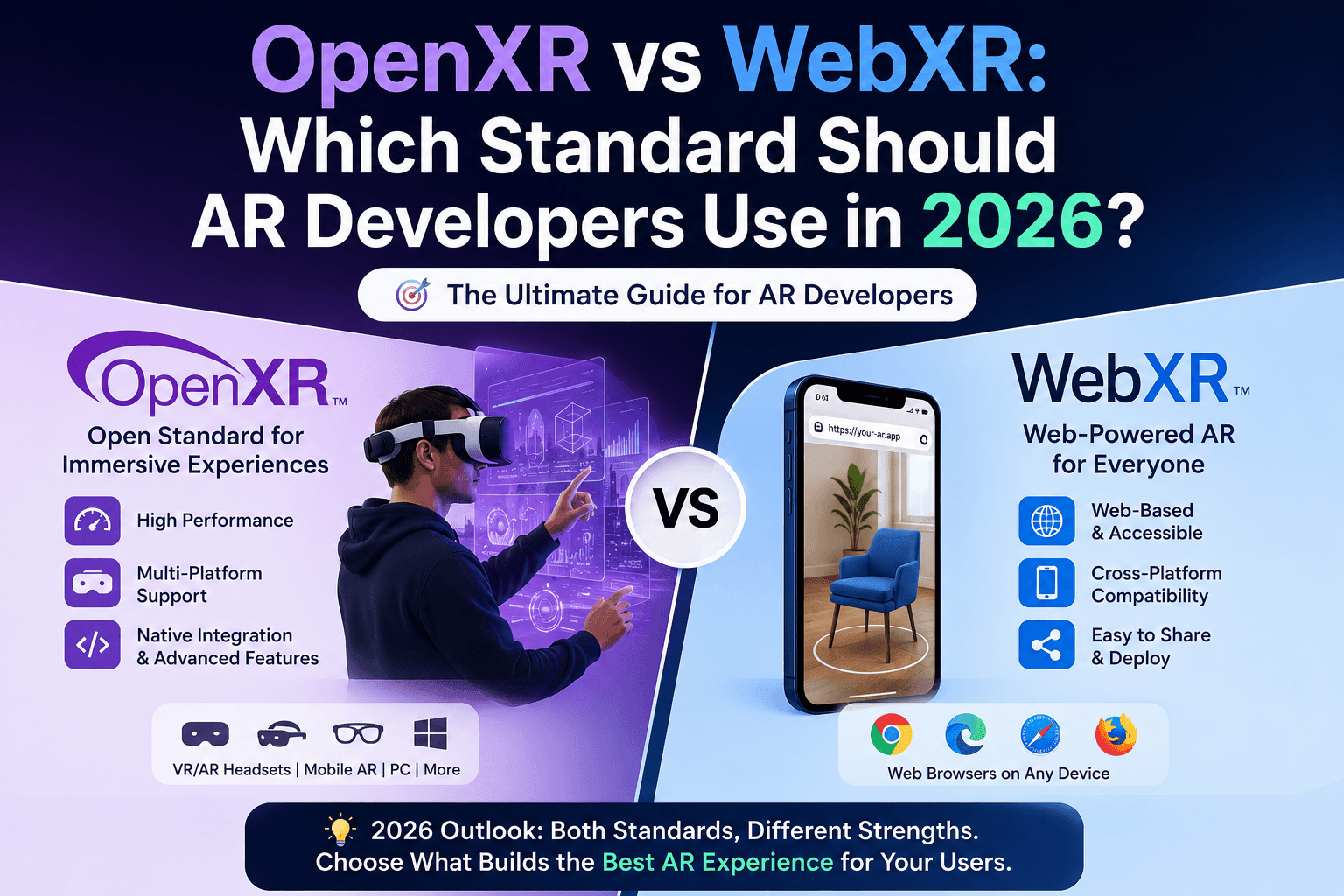
The augmented reality landscape in 2026 is no longer a single-platform game. Enterprises, startups, and independent studios are all asking the same critical question: should we build on OpenXR or WebXR?
It is not a trivial choice. The wrong standard can lock your product into a limited device ecosystem, inflate development timelines, or force costly rewrites down the line. The right choice, however, accelerates deployment, reduces maintenance overhead, and positions your application to scale across the rapidly expanding AR hardware market.
This guide breaks down both standards from a technical and business perspective, so your team — and the AR development company you partner with — can make a decision grounded in real project requirements rather than vendor marketing.
What Is OpenXR and Why Does It Matter for AR Development?
OpenXR is a royalty-free, open standard developed by the Khronos Group. Its primary mission is to eliminate the fragmentation that has long plagued immersive computing. Before OpenXR, every hardware vendor — Meta, Microsoft, Valve, HTC — had its own proprietary runtime. Developers building cross-device AR applications were stuck writing separate codepaths for each platform or relying on middleware layers that added latency and complexity.
OpenXR solves this at the API level by providing a unified interface between AR/VR applications and the underlying hardware runtime. An application built against the OpenXR spec can, in theory, run on any OpenXR-compliant device without platform-specific rewrites.
OpenXR Architecture: The Core Components
Understanding OpenXR’s architecture is essential before evaluating its fit for a given project.
- The OpenXR Loader sits between your application and the hardware runtime. It dynamically discovers and loads the appropriate runtime for the target device, abstracting hardware differences at runtime rather than compile time.
- Action-based Input System replaces the old device-specific button polling model. Developers define abstract actions (like “grab” or “point”) and bind them to physical inputs per device. This makes porting to new hardware significantly faster.
- Extension System allows hardware vendors and platform holders to expose device-specific capabilities — like hand tracking, eye tracking, or passthrough AR — without breaking the core spec. Extensions that prove widely adopted can be promoted into core in future spec versions.
As of 2026, OpenXR has broad adoption across Meta Quest (all generations), Microsoft HoloLens, Valve Index, Pico devices, and Magic Leap 2. Apple’s visionOS does not natively support OpenXR, though third-party compatibility layers exist with varying degrees of completeness.
What Is WebXR and How Does It Differ?
WebXR is a W3C browser API that enables AR and VR experiences to run directly inside a web browser — no app store, no native installation required. It builds on the Web platform’s core strengths: universal reach, zero-friction distribution, and instant updates.
WebXR replaces the deprecated WebVR API and is now the official browser standard for immersive experiences. It exposes device pose, input controllers, and — critically for AR — the ability to access the camera feed and render virtual content on top of the real world through browser-level passthrough.
WebXR’s Technical Stack
WebXR is not a standalone rendering engine. It is an API layer that integrates with WebGL (or increasingly WebGPU) for rendering. Developers typically use it in conjunction with frameworks like:
- Three.js with its built-in WebXR manager
- Babylon.js, which has one of the most mature WebXR implementations available
- A-Frame, which abstracts WebXR into a declarative HTML-like syntax
- model-viewer, Google’s web component for lightweight AR product visualization
The browser handles device pose estimation, hit testing (for placing objects on real-world surfaces), and session lifecycle management. Your application code focuses on rendering logic and user interaction.
WebXR Browser Support in 2026
Chrome and Edge on Android have mature WebXR implementations including AR features like hit testing and DOM overlay. Safari on iOS added experimental WebXR support with WebXR Viewer, though full AR capabilities in Safari remain limited compared to Chrome on Android. Firefox Reality and other immersive browsers have varying levels of spec compliance.
This browser fragmentation is WebXR’s most significant practical challenge in production deployment.
OpenXR vs WebXR: Direct Technical Comparison
Before your AR development services team commits to a standard, the following comparison table maps the critical decision dimensions.
| Dimension | OpenXR | WebXR |
|---|---|---|
| Deployment Model | Native application (app store) | Browser-based, no installation |
| Performance | Near-native, low-level hardware access | Sandboxed, browser overhead |
| Device Support | Dedicated AR/VR headsets, enterprise hardware | Smartphones, AR-capable browser |
| Distribution Friction | App store approval, updates via store | URL-based, instant updates |
| Development Complexity | Higher (C++, C#, Unity/Unreal) | Lower entry point (JavaScript/WebGL) |
| Rendering Control | Full pipeline control | Limited by browser rendering context |
| Hand Tracking | Mature, via XR_EXT_hand_tracking extension | Available on select devices, inconsisten |
| Passthrough AR | Strong support on Quest 3, HoloLens 2 | Limited, device-dependent |
| Enterprise Deployment | Preferred for managed device environments | Web-based deployment scales across devices |
| Offline Capability | Full offline functionality | Limited, device-dependent |
Performance Analysis: Where OpenXR Wins
For applications where frame rate consistency, low latency, and complex 3D rendering are non-negotiable, OpenXR is the superior choice. The standard provides direct access to the device’s rendering pipeline, allowing developers to implement reprojection techniques, optimize draw call batching, and take full advantage of hardware-specific rendering features.
In surgical simulation platforms, industrial AR maintenance tools, and real-time spatial collaboration applications, the performance delta between OpenXR and WebXR is measurable and consequential. A dropped frame in a surgical training simulation is not acceptable. A latency spike in a factory floor AR overlay creates real safety concerns.
The Khronos Group’s benchmark data consistently shows OpenXR applications achieving lower motion-to-photon latency than equivalent WebXR implementations on the same hardware, primarily because the browser’s compositing and security sandboxing layers add overhead that native applications avoid entirely.
WebXR applications, running inside a browser’s rendering context, are subject to garbage collection pauses, browser compositor scheduling, and the general overhead of the JavaScript execution environment. For lightweight AR experiences — product visualization, marketing overlays, educational content — this overhead is acceptable. For sustained high-fidelity rendering, it is a real constraint.
Distribution and Reach: Where WebXR Wins
WebXR’s fundamental advantage is zero-friction distribution. A user scans a QR code or taps a link and the AR experience launches immediately in their browser. No app store approval process, no download wait, no version management for end users.
For consumer-facing use cases — retail try-on experiences, real estate walkthroughs, marketing activations, educational content — this distribution model is extraordinarily powerful. The addressable audience for a WebXR experience is every smartphone user with a compatible browser, measured in billions of devices globally.
This reach advantage is why major e-commerce platforms have invested heavily in WebXR-based product visualization. According to Google’s Web developer documentation, WebXR-powered product visualizations demonstrably reduce return rates and increase purchase confidence for online retailers.
The update model is equally advantageous. When you push a WebXR update, every user immediately receives the latest version on next visit. Native OpenXR applications require users to accept and install updates, creating fragmented version populations that complicate support.
Enterprise AR: A Nuanced Decision
Enterprise deployments add additional dimensions to the OpenXR vs WebXR decision that consumer use cases do not surface.
- Managed Device Environments — where a fleet of dedicated AR headsets runs a specific application in a controlled environment — strongly favor OpenXR. IT administrators can lock devices to specific application versions, manage deployments through MDM systems, and guarantee performance consistency. WebXR’s dependency on browser state and version introduces uncontrolled variables into enterprise environments.
- Bring Your Own Device scenarios, by contrast, favor WebXR. When end users access AR experiences on their own smartphones or tablets, the installation-free deployment model of WebXR dramatically lowers adoption friction. A workforce training module delivered via WebXR requires no IT involvement to deploy.
- Data Privacy and Security is another enterprise consideration. Native OpenXR applications can implement hardware-level security controls and local data processing pipelines that WebXR’s browser sandbox makes difficult. For applications handling sensitive operational data — medical records, proprietary manufacturing processes, financial visualizations — native deployment via OpenXR provides stronger security posture.
If your organization needs guidance on structuring enterprise AR deployments, our cloud services team works alongside ar development projects to architect secure, scalable backend infrastructure that supports both native and browser-based immersive applications.
The Hybrid Architecture: Using Both Standards Strategically
The framing of OpenXR “vs” WebXR implies a binary choice, but the most sophisticated custom ar development teams in 2026 are architecting systems that leverage both standards for different layers of the same product.
A common pattern: a WebXR-based discovery and onboarding flow that works on any smartphone, paired with a high-fidelity OpenXR native application for power users with dedicated AR hardware. The WebXR layer handles reach and accessibility; the OpenXR layer delivers the full experience for users who have invested in purpose-built hardware.
Game engines are also bridging the gap. Unity’s WebGL build target, combined with WebXR integration packages, allows teams to share significant portions of their codebase between OpenXR native builds and WebXR browser deployments. Babylon.js has similarly robust tools for teams that prefer a JavaScript-native workflow.
This hybrid approach is particularly relevant for companies that are simultaneously building consumer-facing AR experiences and enterprise tools — a configuration we see frequently in our custom ar development services engagements. The same 3D asset library, the same spatial UX patterns, deployed to radically different runtime environments.
Our team also applies similar cross-platform architecture thinking in VR development projects, where the OpenXR runtime ecosystem is even more mature and the performance demands are typically higher than AR use cases.
Game Development and AR: Where the Standards Intersect
AR mechanics are increasingly central to modern mobile game design, and the choice of standard has direct implications for game performance and cross-platform reach. Unity’s AR Foundation abstracts both ARKit (iOS) and ARCore (Android) while also supporting OpenXR on headset platforms, giving game developers a relatively unified workflow across the mobile and headset ecosystems.
WebXR-based AR games, while more constrained in rendering capability, have demonstrated surprising depth. Browser-based AR experiences built on Three.js and WebXR have achieved mainstream reach precisely because they remove the installation barrier that often kills casual AR game adoption.
For teams building AR-integrated games, understanding both standards is essential context. Our game development practice frequently collaborates with AR specialists to integrate immersive mechanics into mobile and cross-platform titles — and the standard choice shapes the entire technical architecture from the ground up.
How to Choose: A Decision Framework for AR Development Teams
Rather than prescribing a single answer, the following framework maps project characteristics to the appropriate standard.
Choose OpenXR When:
- Your target hardware is a dedicated AR headset. HoloLens 2, Magic Leap 2, Meta Quest 3 with mixed reality passthrough, Pico 4 Enterprise — these platforms have mature OpenXR runtimes and you will leave significant performance and capability on the table by running a browser-based experience on purpose-built hardware.
- Performance is a hard requirement. Surgical simulation, industrial maintenance AR, real-time spatial collaboration with multiple users — any scenario where frame drops have operational consequences points to OpenXR.
- You need deep sensor access. Eye tracking, multi-camera passthrough, depth sensor data, proprietary device SDKs — these capabilities are typically exposed as OpenXR extensions before (or instead of) being surfaced in WebXR.
- Enterprise managed deployment is required. MDM integration, version locking, offline operation, hardware-level security controls all favor native OpenXR applications.
Choose WebXR When:
- Consumer reach is the primary objective. Marketing activations, retail try-on, real estate visualization, educational content — any scenario where the audience is measured in millions of general consumers with smartphones favors WebXR’s zero-installation distribution.
- Rapid iteration and frequent updates are necessary. Browser-based deployment eliminates app store review cycles. Teams that need to push content updates frequently benefit substantially from WebXR’s instant deployment model.
- Development resources favor web technologies. A JavaScript-native team will ship a WebXR MVP significantly faster than the same team learning C++ or Unity’s native OpenXR pipeline.
- Cross-device reach matters more than peak performance. If your AR experience needs to work on the widest possible range of devices — from mid-range Android phones to AR headsets to desktop browsers — WebXR’s platform model provides broader compatibility despite its performance ceiling.
The Role of Your AR Development Partner
The standard you choose shapes your development costs, timeline, team composition, and long-term maintenance burden. This is why the technical capabilities of your hire AR developer matter as much as your internal decision.
A partner that only works with one stack will naturally steer recommendations toward their comfort zone. The right partner evaluates your specific use case — target hardware, audience scale, performance requirements, deployment model, budget — and gives you an honest assessment of which standard serves those requirements, or where a hybrid approach creates more value than either standard alone.
At Tech Reforms, our AR development services team works across both OpenXR and WebXR, as well as the major game engines and web frameworks that build on each standard. We have delivered AR applications for healthcare training platforms, retail visualization tools, industrial maintenance systems, and consumer marketing experiences.
For teams also evaluating the broader immersive technology stack, our VR development services provide the same standard-agnostic approach. Whether you're building for enterprise or consumer audiences, the right technology foundation directly impacts how effectively your mobile app development helps businesses increase revenue and customer engagement.
What’s Happening with Both Standards in 2026?
Both OpenXR and WebXR are actively evolving, and the trajectory of each standard matters for long-term architecture decisions.
- OpenXR’s 2025–2026 roadmap has focused on stabilizing hand tracking extensions, expanding the scene understanding layer (XR_EXT_scene_understanding), and advancing the vendor-neutral body tracking specification. Khronos has also been working on OpenXR for mobile — bringing the standard to Android ARCore-based devices — which could substantially expand OpenXR’s addressable market beyond dedicated headsets.
- WebXR’s evolution is focused on expanding the feature set available through browser APIs. The WebXR Depth Sensing module, WebXR Hit Test module, and WebXR Lighting Estimation module are progressively bringing capabilities to browser-based AR that previously required native development.
The gap between what OpenXR and WebXR can deliver is narrowing, but it has not closed. For the foreseeable future, peak performance and deepest hardware integration remain in OpenXR’s domain, while maximum reach and lowest deployment friction remain WebXR’s core strengths.
Final Verdict
Neither OpenXR nor WebXR is universally superior. The correct standard is determined by where your audience is, how they will access your experience, what hardware they use, and what performance envelope your application requires.
For dedicated AR hardware, enterprise deployment, and performance-critical applications, OpenXR is the right foundation. For consumer reach, rapid deployment, and mobile-first AR experiences with low installation friction, WebXR delivers outcomes that native development cannot match.
The most forward-thinking AR development teams are not asking which standard to commit to permanently. They are asking which standard to lead with for this product, while building architecture flexible enough to extend to the other when business requirements evolve.
If you are evaluating AR development in usa for your business and need technical guidance on which approach fits your specific requirements, our AR development team is available for a detailed consultation. We also help teams connect AR experiences with broader software ecosystems — including game development integrations and cloud infrastructure for backend services that power immersive applications at scale.