
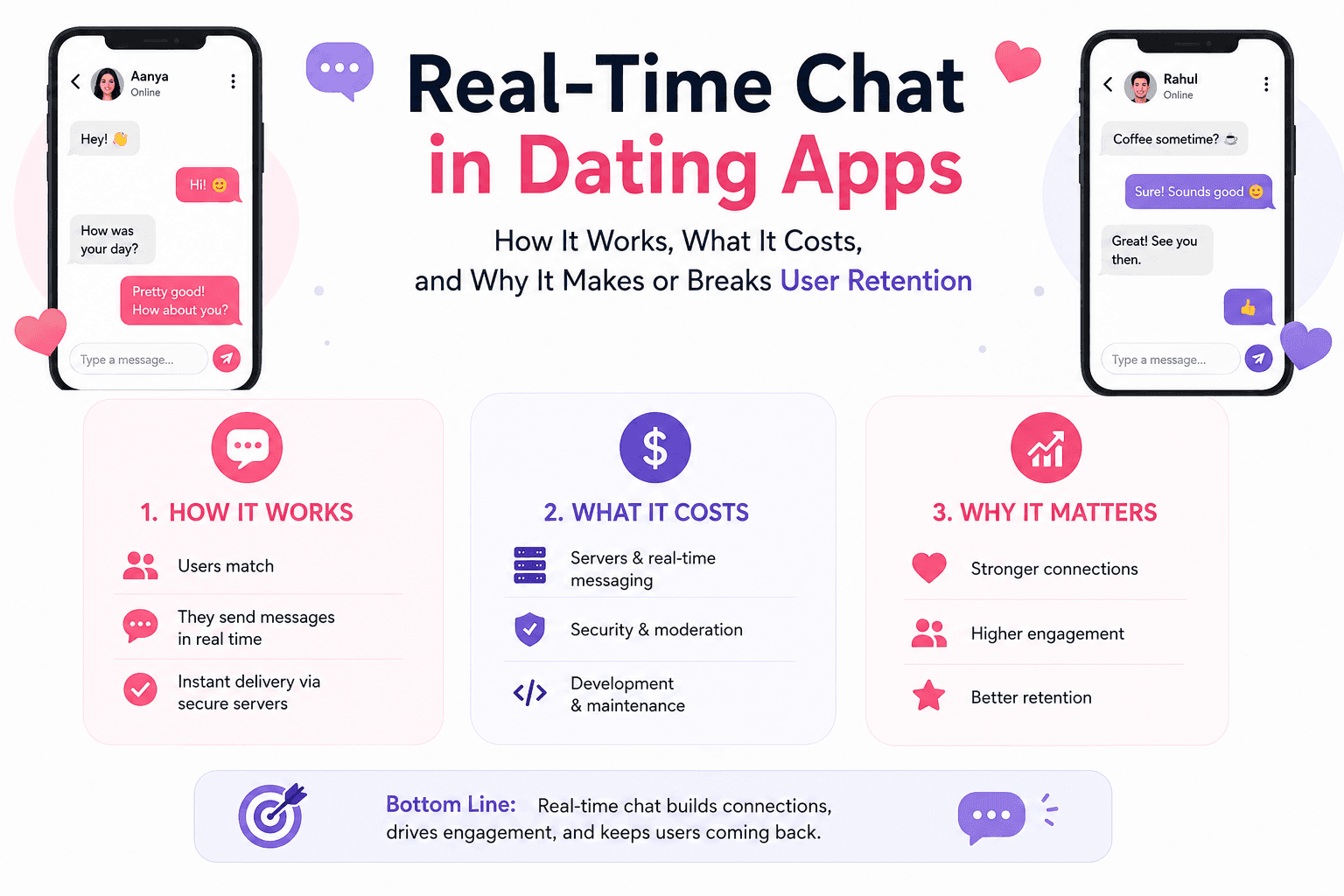
Real-Time Chat in Dating Apps How It Works, What It Costs, and Why It Makes or Breaks User Retention
Introduction
Most dating apps die quietly — not from bad matching algorithms or poor onboarding, but from broken conversations.
A user gets a match. They tap to send a message. The app shows a spinning loader for two seconds. The message finally delivers. By then, the moment is gone.
That two-second lag costs you users. Real retention in dating apps does not live in the swipe — it lives in the conversation that follows. And that conversation is only possible if your real-time chat is fast, reliable, and feature-complete.
This guide breaks down exactly how real-time chat works in dating app development services, what features users now expect as standard, which technologies actually hold up under scale, and what it costs to build it right. Whether you are planning a dating app MVP or upgrading an existing platform, this is the technical and strategic foundation you need.
1. Why Real-Time Chat Is the Core Product — Not a Feature
The dating app market crossed $11.61 billion in revenue in 2025 and is projected to reach $12.52 billion in 2026, according to Straits Research. That growth is not being driven by better swipe mechanics. It is being driven by platforms that make the transition from match to meaningful conversation feel effortless.
Hinge grew revenue by 38% year-over-year to $550 million in 2024. Tinder's paying subscribers fell 8% in the same period. The difference was not the algorithm. It was the conversation quality — how well the post-match experience was designed, how fast the interface responded, and how natural the messaging felt.
Here is the reality: matching is discovery. Chat is the actual product.
A match without an immediate, seamless way to communicate is just a notification. The user experience from the first message to the first date is entirely powered by your chat infrastructure. If that infrastructure fails — even subtly — users ghost your app before they ghost each other.
2. What Users Expect from Dating App Chat in 2026
User expectations around messaging have been shaped by WhatsApp, Telegram, and Instagram DMs. Anyone building a dating app in 2026 is competing with the muscle memory users have from those platforms.
Here is what users now consider non-negotiable:
- Instant delivery — Messages must appear on the recipient's screen in under 500 milliseconds.
- Typing indicators — The animated ellipsis showing someone is writing creates anticipation and confirms presence.
- Read receipts — Users want confirmation that their message was seen. Ambiguity drives anxiety and churn.
- Push notifications — A message while the app is backgrounded must trigger a notification. Miss this and DAU drops sharply.
- Message history persistence — Conversations must survive app restarts, phone switches, and updates.
- Media sharing — Users want to send photos, GIFs, and voice notes. Text-only chat feels dated.
- Block, report, and unmatch — Must reflect instantly in the UI for both parties.
3. How Real-Time Chat Actually Works (The Technical Foundation)
Traditional HTTP communication is request-response. For chat, this model fails immediately — you cannot ask the server every millisecond if there are new messages. That approach, known as polling, is slow, resource-intensive, and produces a terrible user experience.
Real-time chat is built on a different communication model: persistent, bidirectional connections.
WebSockets: The Standard
WebSocket is a communication protocol that opens a single, long-lived TCP connection between the client and server. Once established, both sides can send data to each other at any time without the overhead of establishing a new connection per message.
When a user in a dating app sends a message, the flow looks like this:
- User types and submits a message.
- The client sends the message payload over the existing WebSocket connection to the server.
- The server receives the message, writes it to the database, and immediately pushes it to the recipient's WebSocket connection.
- The recipient's app receives the message and renders it in the UI — all within milliseconds.
There are no HTTP round-trips. No polling intervals. No page refreshes. The experience feels instant because it largely is.
Socket.IO: WebSockets With Guardrails
Raw WebSocket implementations require significant engineering work to handle edge cases: dropped connections, automatic reconnection, message queuing during network interruptions. Socket.IO is a JavaScript library built on top of WebSockets that handles all of this out of the box. It also supports fallback to HTTP long-polling when WebSocket connections are unavailable — important for unreliable mobile networks.
The Backend Architecture
A production-ready real-time chat system for a dating app requires:
- WebSocket server — Node.js + Socket.IO or Go with Gorilla WebSocket
- Message broker — Redis for syncing messages across multiple server instances at scale
- Primary database — PostgreSQL for structured data (user profiles, matches)
- Message store — Firebase Realtime Database or MongoDB for chat history
- Push notification service — APNs for iOS, FCM for Android
- CDN — for media delivery (images, voice notes, GIFs)
4. WebSocket vs. Firebase vs. Third-Party Chat APIs
You have three realistic options for building real-time chat in a dating app. Each represents a different trade-off between speed of development, flexibility, cost, and control.
| Approach | Build Time | Control | Scalability | Cost Model |
|---|---|---|---|---|
| WebSocket (Custom) | High | Full | High (with Redis) | Infrastructure costs only |
| Firebase | Low | Limited | Medium | Pay-as-you-go pricing |
| Chat API (Stream/Sendbird) | Very Low | Medium | Very High | Monthly SaaS subscription |
Custom WebSocket
Choose this when you need custom matching logic built into the chat layer. Custom WebSocket development gives you full control over encryption, data storage location, and business rules. The trade-off is engineering time and ongoing infrastructure management.
Firebase
Firebase is the fastest way to get real-time messaging working in a prototype or early MVP. However, it offers limited control over custom chat logic, message delivery guarantees, and encryption behavior. At scale, the pricing model also becomes expensive.
Third-Party Chat APIs (Stream, Sendbird, Twilio Conversations)
For most early-to-mid stage teams, a managed chat API is the pragmatic choice. You get typing indicators, read receipts, message threading, moderation tools, and push notifications out of the box. The monthly cost is predictable and typically justified by the engineering hours saved.
Recommendation: Use a managed chat API for MVP and early-stage apps. Move to custom WebSocket infrastructure when scale or business logic requirements outgrow it.
5. Must-Have Chat Features for Dating Apps
These are the table-stakes features. Ship without these and you will lose users to any competitor that has them.
Instant One-on-One Messaging
The core of the system. Messages must deliver in under 500ms on a standard mobile connection.
Typing Indicators
When User A is typing, User B sees the animated ellipsis. Implemented via a lightweight WebSocket event emitted on each keystroke (debounced). It costs almost nothing to build and adds significant warmth to the experience.
Read Receipts
Delivered (single checkmark) and read (double checkmark) status. Read status is written to the database when the recipient opens the conversation and pushed back to the sender via WebSocket.
Message Persistence and History
Conversations must be retrievable at any time. Historical messages are stored in the database and fetched when a chat window is opened. Critical for users who switch devices or reinstall the app.
Push Notifications (Background and Foreground)
Integrate with Apple Push Notification Service (APNs) and Firebase Cloud Messaging (FCM) for reliable delivery when the app is backgrounded.
Block, Report, and Unmatch
Must reflect instantly across both sides of the conversation in real time — not on the next app refresh.
Media Sharing
Photo and GIF sharing at minimum. Voice notes add significant engagement and are becoming a baseline expectation in apps targeting users under 30.
6. Nice-to-Have Features That Drive Premium Conversions
Message Reactions
Users can react to messages with emojis. Simple to build, drives engagement, and adds a layer of non-verbal communication that feels natural.
Unsend / Edit Messages
Users can delete or edit messages within a time window. Reduces anxiety around sending mistakes and builds trust in the platform.
Voice Notes
Voice messages convey personality far better than text. Simple voice note recording and playback is a strong retention driver.
AI Chat Ice-Breakers
AI-generated conversation starters — based on shared interests or profile data — reduce first-message friction and increase conversation starts. Several platforms have reported 15–25% increases in conversation starts after introducing this feature.
Video Calling
Video-first dating has stayed mainstream post-pandemic. See Section 7 for a full breakdown.
7. Video and Voice Calling: When to Add It
Video calling in dating app development is no longer a differentiator — it is increasingly a requirement for platforms competing in the mainstream market.
The strongest argument for shipping video calling early is safety. Users are more willing to commit to an in-person date after a video call. Platforms with integrated video calling see higher match-to-date conversion rates because users can quickly screen matches without sharing personal contact details.
Technology Options
WebRTC is the open standard for peer-to-peer video and audio communication. Agora SDK and Twilio Video are the most commonly used managed services for dating app video calling — they handle signaling infrastructure, codec negotiation, and network traversal.
Recommendation: Do not build custom WebRTC infrastructure for an MVP. Use Agora or Twilio Video. The engineering complexity is significant and delays launch without proportional user value.
8. Chat Security and Privacy in Dating Apps
Dating apps handle uniquely sensitive personal data. Security cannot be retrofitted after launch — it must be built into the architecture from the start.
End-to-End Encryption (E2EE)
End-to-end encryption means messages are encrypted on the sender's device and can only be decrypted by the recipient. Signal Protocol is the industry standard. For most MVP-stage apps, a pragmatic middle ground is: encrypt in transit using TLS (WSS) and encrypt at rest in the database.
Authentication and Authorization
Every WebSocket connection must be authenticated. Use JWT (JSON Web Tokens) during the WebSocket handshake to verify user identity before the connection is established.
Rate Limiting
Implement message rate limiting to prevent spam and abuse. A user should not be able to send more than a defined number of messages per minute.
GDPR / CCPA Compliance
If targeting EU users, GDPR compliance is mandatory. This affects message data retention, user deletion rights, and data storage location. Build data retention policies into your database architecture from day one.
Profile Verification
Linking user identity to real phone numbers, AI photo verification, or government ID reduces fake profiles and bot activity in the chat layer.
9. AI-Powered Chat: The New Competitive Edge
The most significant shift in dating app messaging over the past 18 months is the integration of AI into the conversation layer itself.
AI Conversation Starters
Based on both users' profile data — interests, answers to prompts, photos — the AI suggests opening lines that are specific and personalized. This converts dramatically better than generic openers.
Smart Reply Suggestions
Contextual reply suggestions appear as quick-tap options below the message input, similar to Gmail's Smart Reply. They reduce friction for users uncertain what to say next.
Safety Screening
AI models can analyze incoming messages for harassment, explicit content, or patterns associated with catfishing or scam behavior. Flagged messages are held for review or filtered before delivery — significantly improving trust and retention among female users.
Sentiment Analysis for Match Quality
Some advanced platforms use sentiment analysis on conversation data (anonymized and aggregated) to improve their matching algorithm, closing the feedback loop between matching quality and conversation outcomes.
10. How to Build Real-Time Chat for a Dating App: Step-by-Step
- Define your chat architecture — custom WebSocket, Firebase, or managed chat API.
- Set up authentication — JWT-based auth with short expiration windows and refresh token logic.
- Implement the WebSocket server — Node.js + Socket.IO with Redis adapter for horizontal scalability.
- Build the message model — message ID, sender ID, recipient ID, conversation ID, content, media URL, timestamp, delivery and read status.
- Implement core features in sequence — basic send/receive → message persistence → typing indicators → read receipts → push notifications → media sharing.
- Add security layers — TLS for WebSocket connections, JWT authentication, message rate limiting, content sanitization, and data encryption at rest.
- Test at scale before launch — simulate hundreds of concurrent connections. Identify database write bottlenecks and WebSocket broadcast logic issues.
- Instrument observability — track message delivery latency, WebSocket connection duration, failed deliveries, and reconnection rates from day one.
11. Tech Stack Comparison for Dating App Chat
| Layer | Option A (Custom) | Option B (Hybrid) | Option C (Managed) | Best For |
|---|---|---|---|---|
| Real-Time Layer | Node.js + Socket.IO | Node.js + Socket.IO | Stream / Sendbird SDK | Varies by project |
| Database | PostgreSQL + MongoDB | PostgreSQL + Firebase | Managed by provider | Varies by requirements |
| Push Notifications | APNs + FCM (Direct) | APNs + FCM (Direct) | Included in provider plan | All development stages |
| Video Calling | WebRTC + Agora | Agora SDK | Agora / Twilio | Post-MVP implementations |
| Frontend | React Native / Flutter | React Native / Flutter | React Native / Flutter | All development stages |
| Dev Time (Chat Only) | 8–14 weeks | 6–10 weeks | 2–4 weeks | Varies by approach |
The right stack depends on your timeline, team size, and budget. For MVPs and early-stage apps, a managed chat API is almost always the right answer. For growth-stage and large-scale platforms, custom WebSocket infrastructure with Redis scaling is the standard.
12. Common Mistakes in Dating App Chat Development
- Building HTTP polling instead of WebSockets — the result is a chat feature that feels slow and kills engagement.
- Skipping message persistence — some MVP builds store messages only in memory. When the server restarts, all conversations are gone.
- Not handling reconnection logic — mobile users constantly switch between WiFi and cellular. If your app does not gracefully handle disconnections, messages get lost on unstable networks.
- Building video calling from scratch in an MVP — this delays launch by 4–6 weeks for features 20% of users will use in the first month. Use Agora or Twilio Video instead.
- Treating security as a post-launch concern — GDPR violations carry significant financial penalties, and a single data breach causes severe and often irreversible user trust damage.
- Not testing at scale — a chat system that works for 10 concurrent users often breaks at 1,000. Load test before launch.
- Ignoring notification delivery rates — push notifications are how your app re-engages users mid-conversation. Monitor notification delivery from day one.
13. How Much Does It Cost to Build Real-Time Chat for a Dating App?
Chat is not a single line item — it is a system, and its cost reflects that.
| Component | Estimated Cost |
|---|---|
| Basic Messaging (Send/Receive & Persistence) | $4,000–$8,000 |
| Typing Indicators & Read Receipts | $1,500–$3,000 |
| Push Notifications (APNs + FCM) | $2,000–$4,000 |
| Media Sharing (Photos, GIFs & Voice Notes) | $3,000–$6,000 |
| Block, Report & Unmatch System | $2,000–$4,000 |
| Video Calling (Agora/Twilio Integration) | $4,000–$8,000 |
| AI Conversation Starters | $5,000–$12,000 |
| End-to-End Encryption | $6,000–$15,000 |
| Full Chat System (MVP Grade) | $15,000–$35,000 |
| Full Chat System (Production Grade) | $40,000–$80,000+ |
These are dating app development cost estimates for a custom-built solution. Using a managed chat API like Stream or Sendbird reduces development costs significantly but introduces ongoing monthly SaaS fees that scale with your user base.
For context: production-ready dating apps typically cost $80,000–$250,000+ in total. Chat infrastructure represents 20–35% of that total depending on feature depth.
Ready to Build Your Dating App's Chat System?
At Tech Reforms, we have built real-time chat and messaging infrastructure for dating apps ranging from niche MVPs to platforms with hundreds of thousands of daily active users. Our team handles the full stack: backend architecture, iOS, Android, Flutter, React Native, video calling, AI features, and post-launch optimization.