
Video Calling & Live Features in Dating Apps: A Complete Implementation Guide
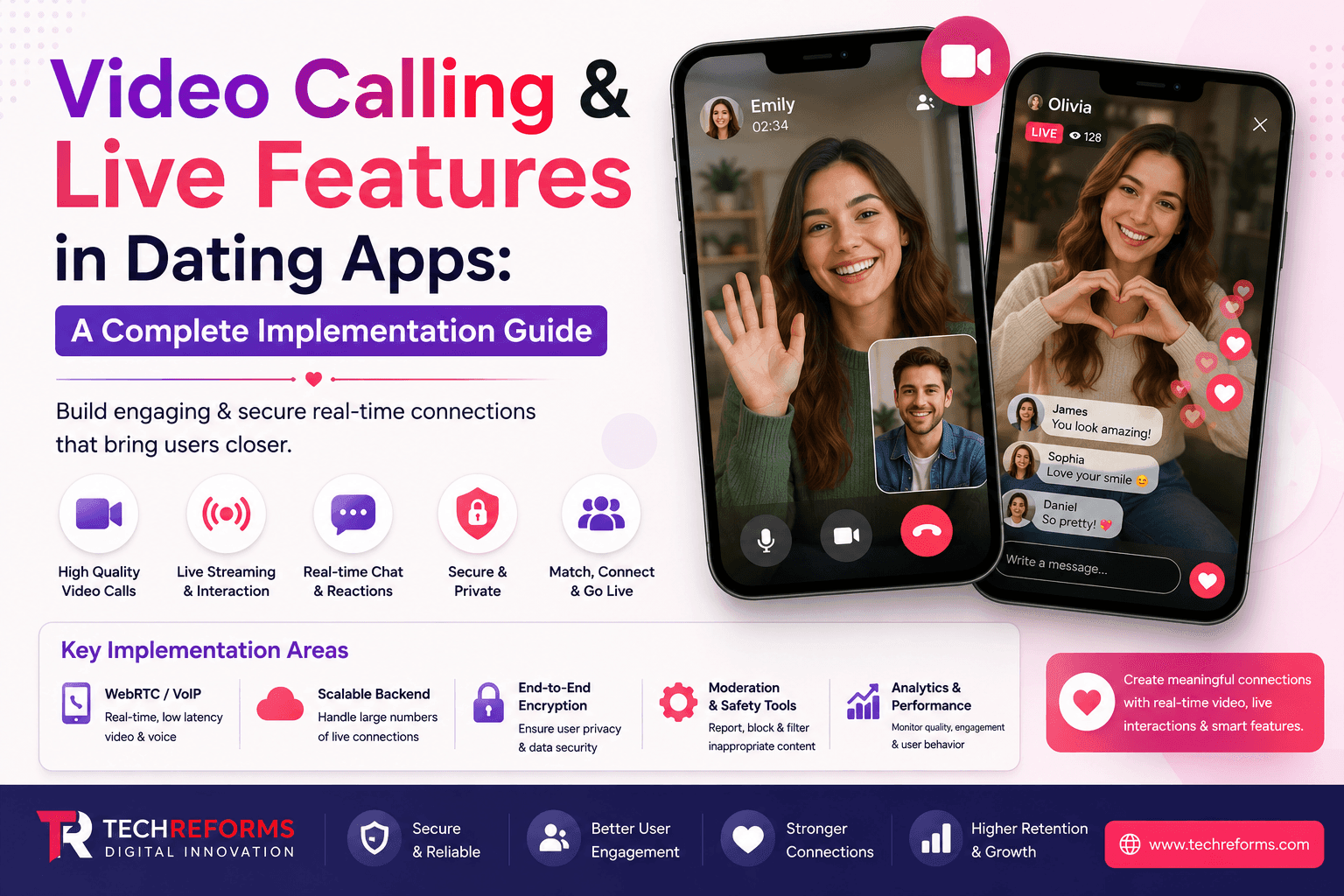
Video is no longer an add-on feature in dating apps — it's the trust layer. Match Group's own research (cited across Tinder, Hinge, and OkCupid product updates since 2021) has repeatedly pointed to the same pattern: users who complete a video call before meeting in person report higher safety confidence and lower ghosting rates. Bumble made video calling a permanent core feature after pandemic-era usage data showed it reduced fake-profile complaints. Live audio/video rooms on apps like Fruitz and Feeld have become retention drivers, not novelty features.
If you're planning to build or upgrade a dating app in 2026, video and live features aren't optional differentiation anymore — they're baseline expectation. What separates a good implementation from a mediocre one is architecture, latency handling, moderation design, and how well the feature integrates with matching logic rather than sitting as a bolted-on call button.
This guide breaks down how video calling and live features actually get built in production dating apps — the protocols, SDK trade-offs, moderation requirements, and the mistakes that turn a promising feature into a support-ticket generator.
Why Video and Live Features Matter for Dating App Retention
Text-based matching has a verification problem. Photos get stale, catfishing remains widespread, and static profiles compress a person into a handful of curated data points. Video collapses that gap in ways that directly affect three business metrics dating apps care about: match-to-conversation conversion, conversation-to-meetup conversion, and user trust scores.
There's also a structural reason video matters more now than five years ago: hire dating app developer fatigue. Users report burnout from swiping and messaging without outcomes. Apps that introduce a low-friction video layer — even a 60-second "video intro" instead of a full call — give users a faster signal of compatibility, which shortens the funnel and reduces churn.
From a product standpoint, video and live features serve three jobs simultaneously:
- Verification and safety — confirming the person behind the profile is real
- Compatibility signal — voice, mannerisms, and presence communicate things text can't
- Engagement and session time — live features increase daily active use, which matters for ad and subscription revenue models
Any dating app development company building these features needs to design around all three jobs, not just the technical call mechanism.
2. The Four Categories of Live Features in Dating Apps
Most product briefs treat "video calling" as one feature. In practice, it splits into four distinct implementations with different architecture, moderation load, and monetization potential. Conflating them during planning is one of the most common reasons dating app development timelines blow past estimates.
A. One-to-One Video Calling
The baseline feature — two matched users on a private video call, typically gated behind a mutual match or a "request to video chat" consent step. Lowest architectural complexity of the four, but still requires signaling servers, TURN/STUN relay infrastructure, and in-call reporting tools.
B. Live Streaming / Live Rooms
One user (or a small group) broadcasts to many viewers — used for icebreaker events, "ask me anything" style profile expansion, or group speed-dating formats. This requires a completely different backend: media servers (SFU architecture), scalable viewer-side delivery, and much heavier moderation because broadcast content is public-facing rather than private.
C. Virtual Speed Dating / Rotating Rooms
Timed, structured video sessions where users rotate between multiple short calls in a session window — a format popularized by apps like Fruitz and niche event-based dating platforms. This needs session orchestration logic (timers, matchmaking queues, room handoff) layered on top of standard video infrastructure.
D. AR-Enhanced or Filtered Video
Video calls with real-time filters, virtual backgrounds, or icebreaker overlays (mini-games during a call, prompt cards, etc.). This adds client-side processing load and typically requires GPU-accelerated rendering pipelines on-device, which affects device compatibility testing scope significantly.
Why this split matters: if a founder asks for "video calling," a competent app development company scopes the conversation before scoping the engineering — because B and C alone can 3-4x the backend complexity versus A.
3. Core Technology Stack: WebRTC and the SDK Landscape
Nearly every real-time video implementation in dating apps sits on top of WebRTC (Web Real-Time Communication), the open-source protocol that handles peer connection negotiation, media transport, and NAT traversal. Raw WebRTC is free but requires building and maintaining your own signaling server, TURN/STUN infrastructure, and scaling logic — a significant undertaking most product teams don't need to own from scratch.
This is where managed Video SDK providers come in. Here's how the major options compare for dating app in usa use cases specifically:
| Provider | Best For | Pricing Model | Notable for Dating Apps |
|---|---|---|---|
| Agora | Low-latency 1:1 calls and live streaming | Per-minute usage | Global edge network with sub-400ms latency; widely adopted by dating and social apps |
| Twilio Video | Enterprise-grade reliability and compliance-focused applications | Per-minute usage + platform fees | Strong compliance capabilities, ideal for security-sensitive platforms |
| Vonage (TokBox) | Mid-market applications with straightforward integration | Per-minute usage | Good balance between cost, scalability, and developer experience |
| Sendbird | Apps requiring unified chat and video | Tiered subscription | Seamlessly integrates video with existing messaging infrastructure |
| Amazon Chime SDK | Teams already using AWS | Pay-as-you-go | Greater infrastructure control without building signaling servers from scratch |
| Custom WebRTC (Self-Hosted) | Large-scale platforms with dedicated engineering teams | Infrastructure costs only | Lowest long-term cost at scale but requires significant engineering effort and maintenance |
Strategic note: for MVP and early-growth-stage dating apps, a managed SDK (Agora or Vonage are the most common choices we see requested) is almost always the right call — the per-minute cost is offset by months of engineering time saved. Custom WebRTC infrastructure only becomes cost-justified once call volume is high enough that SDK per-minute fees exceed the cost of a dedicated infra team, which for most apps is well past product-market fit.
4. Architecture Considerations for Scale
Signaling Layer
Handles call setup — who's calling whom, session negotiation, ICE candidate exchange. Typically built on WebSocket connections for low-latency bidirectional communication.
Media Relay (TURN/STUN)
Roughly 20-30% of users sit behind restrictive NATs or firewalls where direct peer-to-peer connection fails. TURN servers relay media in these cases. Under-provisioning TURN capacity is a common cause of "call won't connect" complaints — this is a scaling detail that gets missed in early planning.
SFU vs. MCU for Group/Live Features
- SFU (Selective Forwarding Unit) — forwards individual media streams to participants without mixing them server-side. Lower server load, higher client bandwidth need. Standard choice for live rooms and speed-dating formats.
- MCU (Multipoint Control Unit) — mixes streams server-side into a single composite feed. Higher server cost, lower client bandwidth requirement. Rarely justified for dating apps unless targeting low-bandwidth emerging markets specifically.
Push Notification Reliability for Incoming Calls
A frequently underestimated piece: incoming video call notifications need to work even when the app is backgrounded or killed, which requires VoIP push (CallKit integration on iOS, high-priority FCM on Android) rather than standard push notifications. Getting this wrong is the single most common cause of "missed call" complaints in dating app reviews.
5. Security, Privacy, and Consent Design
Dating apps carry elevated privacy risk versus most consumer apps — users are sharing live video of themselves, often from home, with someone they haven't physically met. Security design has to account for this context, not just standard encryption checklists.
Non-negotiables for video features in dating apps:
- End-to-end or transport-layer encryption for all call media (SRTP is standard via WebRTC)
- Explicit consent gating — video calling should require a mutual opt-in, never a default-on capability the moment two users match
- No default recording — if recording exists as a feature, it must require both-party consent, with clear on-screen indicators, and legal review varies significantly by jurisdiction (some US states, and most EU countries, require two-party consent for recording)
- In-call reporting and panic controls — a visible, always-accessible report/block/end-call button, ideally reachable within one tap
- IP address masking — WebRTC peer-to-peer connections can leak IP addresses between users unless relayed through TURN by default; this is a known vulnerability specific to dating contexts where users may not want location inference possible
- Session timeout and idle disconnect for live rooms to prevent lingering unmoderated sessions
The IP-leak issue specifically deserves attention because it's frequently missed: many WebRTC implementations default to peer-to-peer connection when possible for latency reasons, but in a dating context, forcing all calls through a relay server (even at added infrastructure cost) is often the safer default given users are typically strangers.
6. Content Moderation for Live Video
This is where live streaming and rotating-room features (categories B and C above) diverge sharply from 1:1 calling in terms of build complexity. A private call between two consenting matched users carries lower moderation urgency than a public or semi-public live room.
Moderation layers used in production dating apps:
- Real-time AI content classification — frame-sampling models that flag nudity, violence, or policy-violating content during live broadcasts (providers like Hive, Amazon Rekognition, and Microsoft Azure Content Moderator are commonly integrated)
- Audio moderation — speech-to-text plus toxicity/hate-speech classification for live audio rooms
- Human moderation escalation — AI flags route to human reviewers for borderline cases, particularly important for live streaming where false positives create user frustration
- User reporting tools — accessible during live sessions, not just post-hoc
- Age and identity verification gating — increasingly required before granting access to live/broadcast features specifically, given regulatory scrutiny (UK Online Safety Act, EU DSA, and various US state-level age verification laws all touch this)
Expert insight: teams frequently underbudget moderation infrastructure because it's treated as a "nice to have" layered on after launch. For any feature in category B or C, moderation isn't a phase-two consideration — regulatory exposure (particularly under the EU Digital Services Act and various 2025-2026 US state age-verification statutes) makes it a launch blocker, not a follow-up sprint.
7. UX Patterns That Actually Work
Video features fail on adoption far more often than they fail on engineering. The apps that get sustained usage out of video share common UX decisions:
- Low-commitment entry points — a 60-second "video intro" clip is a lower-friction ask than "start a video call," and performs better for first-time feature adoption
- Scheduled call requests over instant-call buttons — instant video call requests from a near-stranger feel invasive; letting users propose a time reduces call-decline rates significantly
- Visible safety cues during the call — report/block controls should be persistent, not buried in a menu
- Graceful degradation — if video quality drops, fall back to audio-only rather than dropping the call entirely; users tolerate quality drops far better than disconnects
- Post-call feedback prompts — a simple "how did that go?" micro-survey feeds both matching algorithm signal and safety reporting in one UX moment
For live rooms specifically, clear session structure (visible timer, participant count, topic/prompt framing) performs better than open-ended "just hop on and see who's there" formats, which tend to produce low-quality, high-dropout sessions.
8. Native vs. Cross-Platform Implementation
A common question we get from founders scoping a build: does video calling work reliably in Flutter or React Native, or does it require native development?
Short answer: cross-platform frameworks handle video calling well in 2026, provided the SDK you choose has mature Flutter/React Native bridges — Agora, Twilio, and Vonage all maintain official plugins for both frameworks. The performance gap that existed five years ago has largely closed for standard video calling.
Where native development (Swift/Kotlin) still has a meaningful edge:
- AR filter and camera-processing-heavy features (category D above), where direct GPU pipeline access matters
- VoIP push handling on iOS, where CallKit integration is more reliable when built natively, though Flutter/React Native bridges have improved substantially
- Apps with extremely high call volume where every millisecond of processing overhead compounds at scale
For most dating app development projects — MVP through mid-growth stage — Flutter or React Native with a managed video SDK is the pragmatic choice: faster time-to-market, single codebase maintenance, and SDK-level performance parity with native for standard call features.
9. Cost Factors in Video Feature Development
Costs vary widely based on which of the four feature categories you're building, but the primary cost drivers are consistent:
- SDK usage fees — typically billed per participant-minute; live streaming and rotating rooms scale this cost faster than 1:1 calling since they involve more concurrent participants per session
- Backend engineering for signaling, matchmaking-to-call handoff, and session orchestration
- Moderation infrastructure — AI classification API costs plus human review tooling, which scales with live/broadcast feature usage
- QA across device fragmentation — video features require substantially more device/network-condition testing than typical CRUD app features
- Ongoing infra scaling — TURN relay capacity and media server costs grow with concurrent usage, not just user count
A realistic planning heuristic: 1:1 video calling typically adds a moderate, well-bounded increment to a standard dating app build. Live streaming or rotating-room features roughly double that scope due to the SFU architecture, moderation build-out, and session orchestration logic layered on top. Any vendor quoting live-room features at the same cost as 1:1 calling either hasn't scoped the moderation requirement or is underestimating the backend work — worth pressure-testing in vendor conversations.
10. Common Mistakes in Dating App Video Implementation
- Treating video as a single feature during scoping instead of separating 1:1 calls, live rooms, and speed-dating formats, which leads to underestimated timelines
- Skipping TURN relay capacity planning, causing call-connection failures for the 20-30% of users behind restrictive NATs
- Defaulting to peer-to-peer connections without considering the IP-leak risk specific to dating contexts
- Under-investing in moderation before launching live/broadcast features, creating regulatory and trust exposure
- Building instant-call-only UX without a scheduled-request option, which suppresses adoption
- Ignoring VoIP push notification reliability, resulting in missed-call complaints
- Not load-testing concurrent session capacity before a marketing push or influencer-driven spike in usage
- Failing to build in graceful audio-only fallback, causing unnecessary call drops on unstable networks
11. Monetization Models for Live Features
Live and video features open monetization paths beyond standard subscription tiers:
- Premium video call minutes — free-tier limits with paid extensions, common in freemium dating app models
- Virtual gifting during live streams — a model borrowed from live-streaming platforms, increasingly tested in dating-adjacent live rooms
- Paid access to curated live speed-dating events — ticketed or subscription-gated rotating-room sessions
- Boosted visibility in live rooms — paid placement for users wanting more visibility during group sessions
- Video-verified badge tiers — charging for expedited or enhanced identity verification tied to video features, which also improves platform-wide trust signals
The monetization model chosen should influence architecture decisions early — a virtual gifting economy, for instance, requires real-time transaction handling layered into the live session infrastructure, which is easier to design in from the start than retrofit later.
12. 2026 Trends Shaping Live Dating Features
- AI-assisted icebreakers during live calls — real-time conversation prompts surfaced based on shared interests detected from profile data, reducing the awkward-silence drop-off problem
- AI matchmaking feeding directly into live session queues — instead of static swipe-based matching, some platforms are testing compatibility-scored matchmaking that routes users directly into scheduled video sessions
- Stricter age and identity verification tied to live features, driven by regulatory pressure (EU DSA, UK Online Safety Act, expanding US state legislation) — expect this to become a default requirement rather than an optional trust feature
- Hybrid audio-first live rooms — lower-bandwidth, lower-social-pressure audio spaces (Clubhouse-style) reappearing within dating apps as a lower-friction alternative to video
- Group speed-dating formats gaining ground over 1:1 cold video requests, as apps address dating fatigue by lowering the stakes of any single interaction
Conclusion
Video and live features have moved from differentiator to baseline expectation in dating apps, but the implementation details separate the platforms that build user trust from the ones that generate support tickets and regulatory risk. The technical decisions — SDK choice, SFU architecture for live rooms, TURN capacity planning, moderation infrastructure — all trace back to a single planning question: which of the four live feature categories are you actually building, and does your team understand that they don't share a cost or complexity profile.
Getting this right requires a development partner who's scoped these trade-offs before, not one learning WebRTC architecture on your project's timeline.
Ready to Build Video and Live Features Into Your Dating App?
Our team has shipped 1:1 video calling, live streaming rooms, and virtual speed-dating features for dating platforms across MVP and enterprise-scale builds. As a dating app development company, we handle the full scope — architecture planning, SDK selection, moderation infrastructure, and compliance review — so your live features launch without the connection failures, moderation gaps, or cost overruns that sink most first attempts.
Talk to our team about your dating app development services requirements and get a scoped technical roadmap before you commit to a build.